
Version 0.10.57 · Build 167
Issued 6 November 2026. Covers iPhone and Android Bowls Edition controls.
Getting started
- Create or sign in to your own verified MyClub account.
- Use Home for current club activity and the five bottom navigation controls to move around.
- Open My Profile to confirm your Player ID, active club, membership and subscription coverage.
- Pull down on supported pages to load changes saved by another player, scorer or club officer.
All names, clubs, associations and fixtures shown in these examples are fictional demo data.
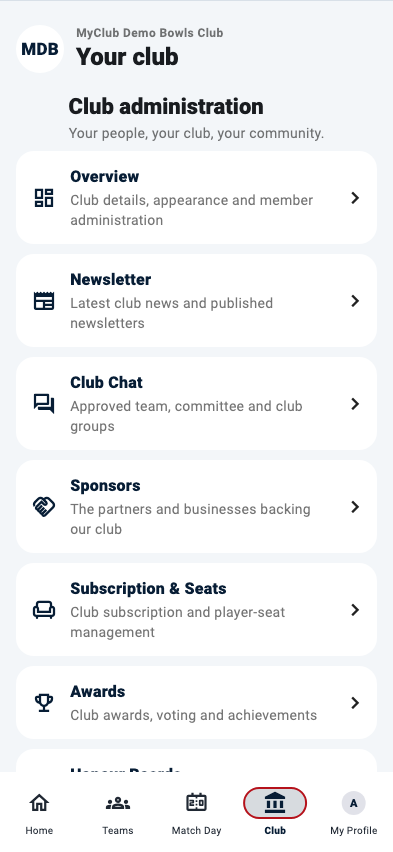
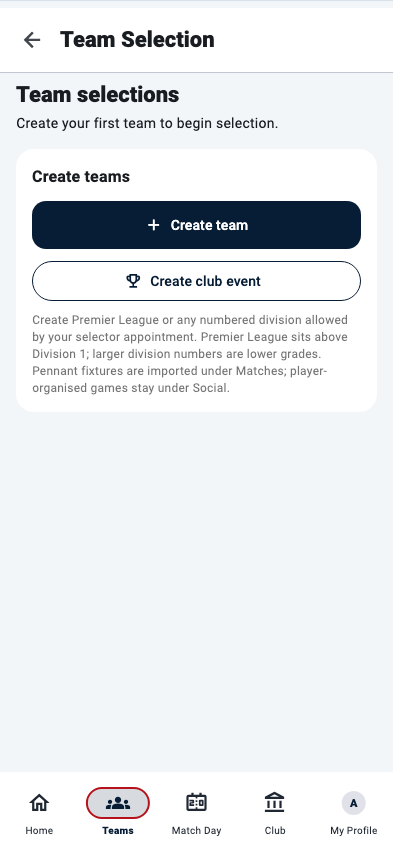
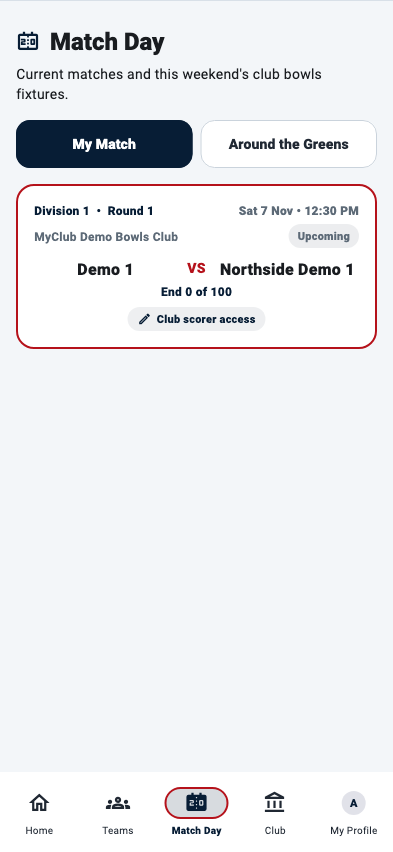
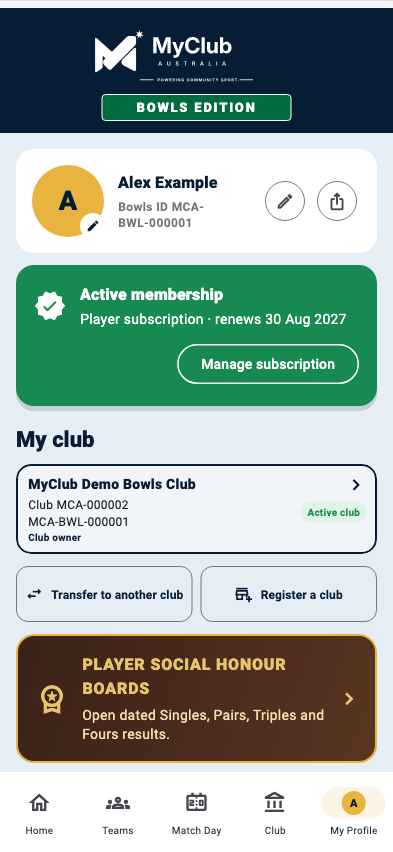
What each role can do
Player
Home, Teams, Match Day, Club and My Profile, plus approved club content.
Club owner
Governance, subscriptions, appearance and every administrator function.
Administrator
Members, club content, communication, seasons and club events.
Selector
Team creation, player availability, rink positions and team publication.
Match Committee
Club social bowls and championship events.
Club scorer
Authorised live scores, saved scorecards and final results.
Supporter
Published teams, live scores and final results without editing them.
The five main app areas
Home
Current club updates, upcoming matches, club events and recent results.
Teams
Team selection, seasons, ladders, club events, published teams and Player Social Bowls.
Match Day
Your current fixture, Around the Greens, live scoring and final results.
Club
Administration, members, communication, sponsors, awards, honour boards and association tools.
My Profile
Identity, club membership, privacy, help, account security and subscription controls.
Subscriptions and club seats
The current advertised annual pricing is AUD $99.00 for a club licence, AUD $6.99 for each club-managed player seat and AUD $6.99 for an individual player subscription in Australia. The New Zealand individual player subscription is NZD $8.99 per year. The relevant Apple, Google or organisation checkout displays the final local price and controls renewal.
- A player already covered by a club-paid seat does not need a separate individual subscription.
- Individual subscriptions unlock Player Social Bowls when club coverage is not active.
- Completed results and honour-board history remain stored if a subscription expires.
- Manage or cancel store purchases through the signed-in Apple or Google account.
- Club owners and administrators manage the club licence and paid player seats under Club → Administration → Subscription & Seats. My Profile shows personal membership and subscription status without repeating that club administration shortcut.
- When a verified subscription renews on the current day, My Profile displays “Renews today” rather than “Renews in 0 days.”
Refreshing shared information
- Pull down on Match Day, season, ladder, club event or scorecard pages that support refresh.
- Wait for the progress indicator to finish before making another change.
- If another participant has just signed a scorecard, refresh that competition screen.
- If refreshing fails, confirm internet access and try again.
Need the complete reference?
The illustrated manual documents every major screen, control, role and safe-use rule in the current Bowls Edition.
Download the illustrated user manual